
STORE SETUP
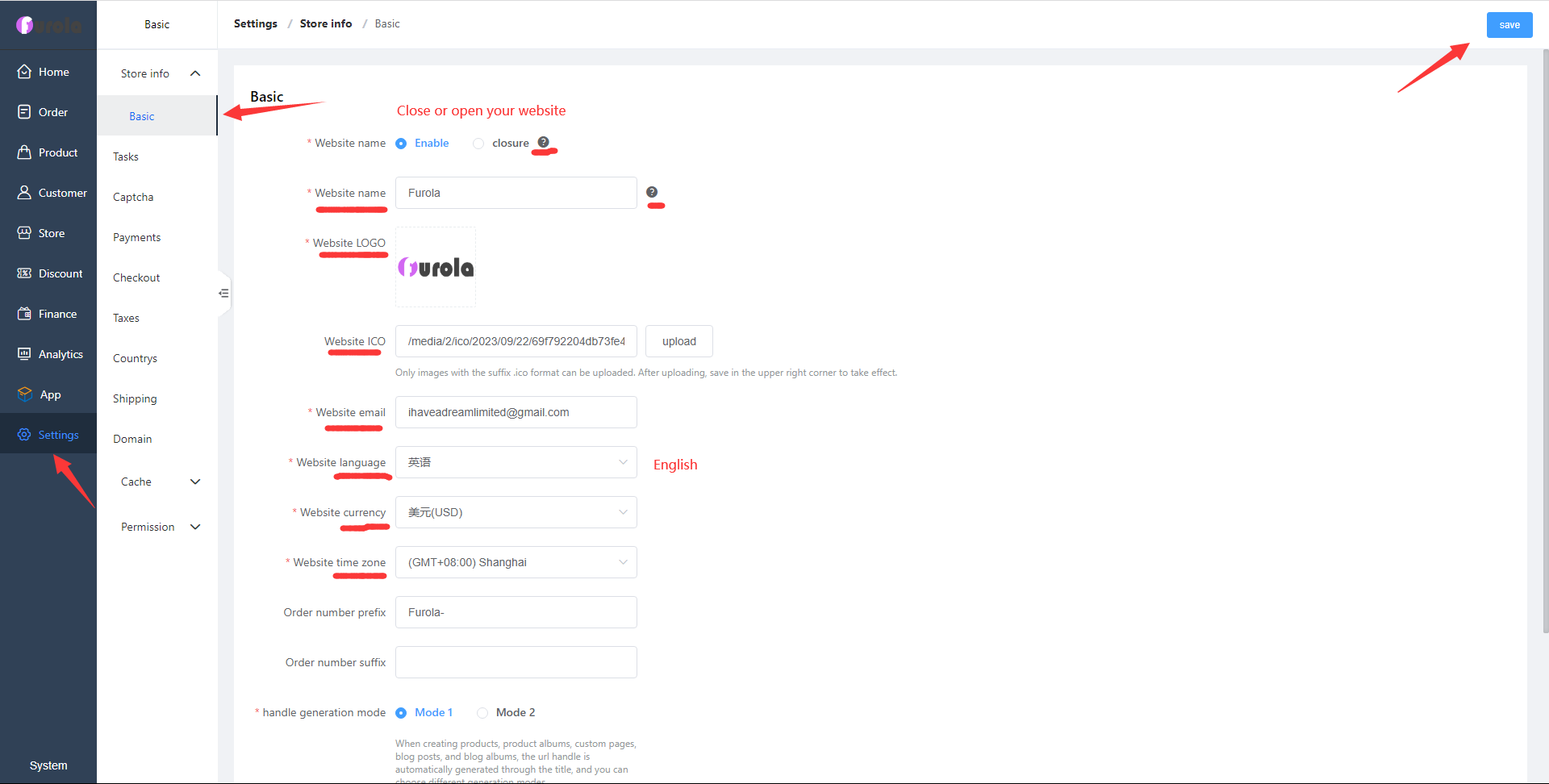
Settings / Store info / Basic
Modify the name of the website, logo, tab icon, website email, language, exchange rate, and time zone.
Einfacher Website-Aufbau – gemacht für Künstler!

Verbinde moderne KI-Modelle und Coding-Agenten, um Daten zu analysieren, Produkte zu veröffentlichen, Inhalte zu bearbeiten und deinen Shop schneller aufzubauen.
Set the site name and other information. Right-click to open the image for a larger view.
Modify the name of the website, logo, tab icon, website email, language, exchange rate, and time zone.
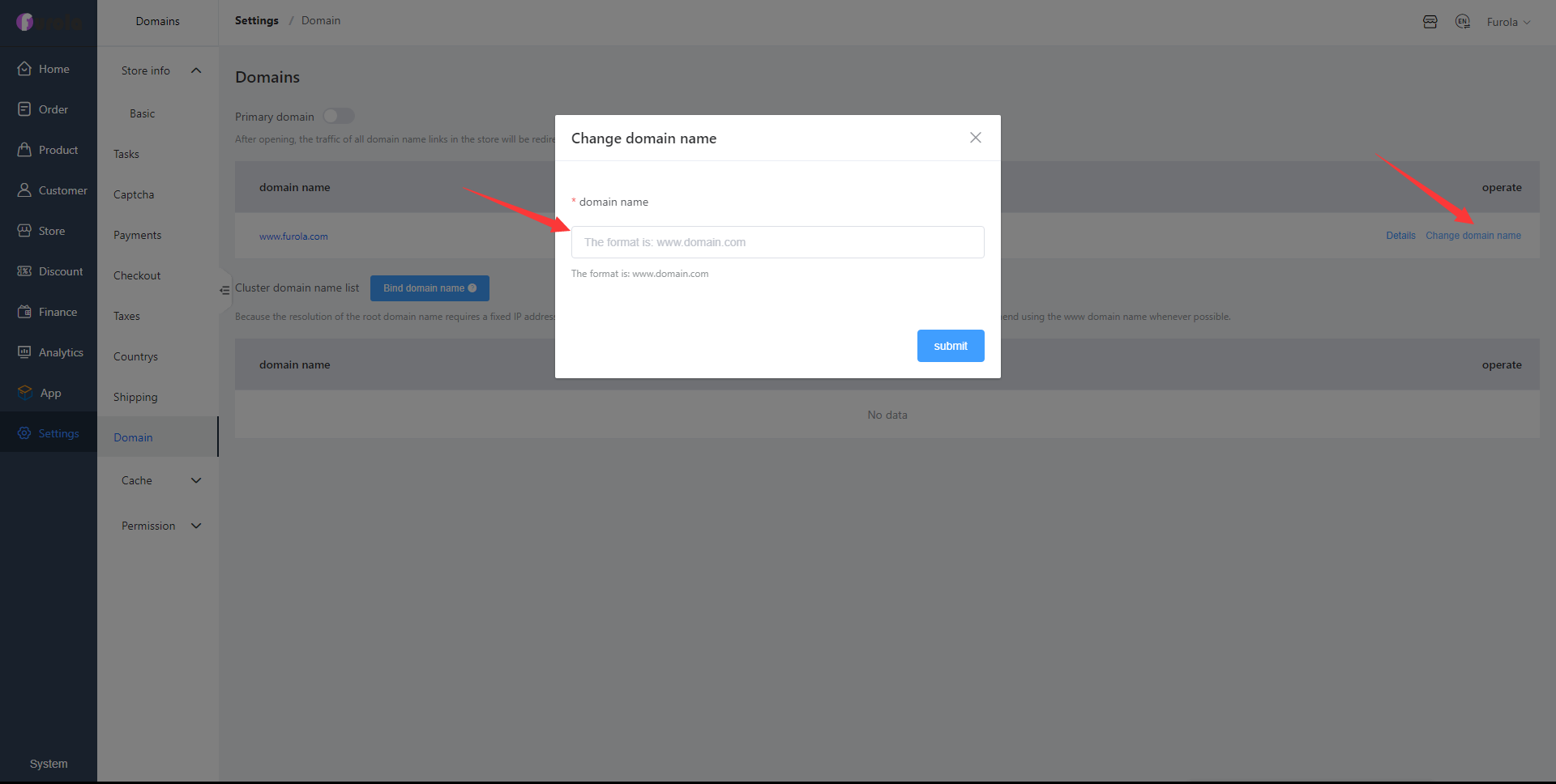
Furola can be bundled with your domain name. You can register a domain name with any domain registrar. Cloudflare is a service provider that speeds up websites.
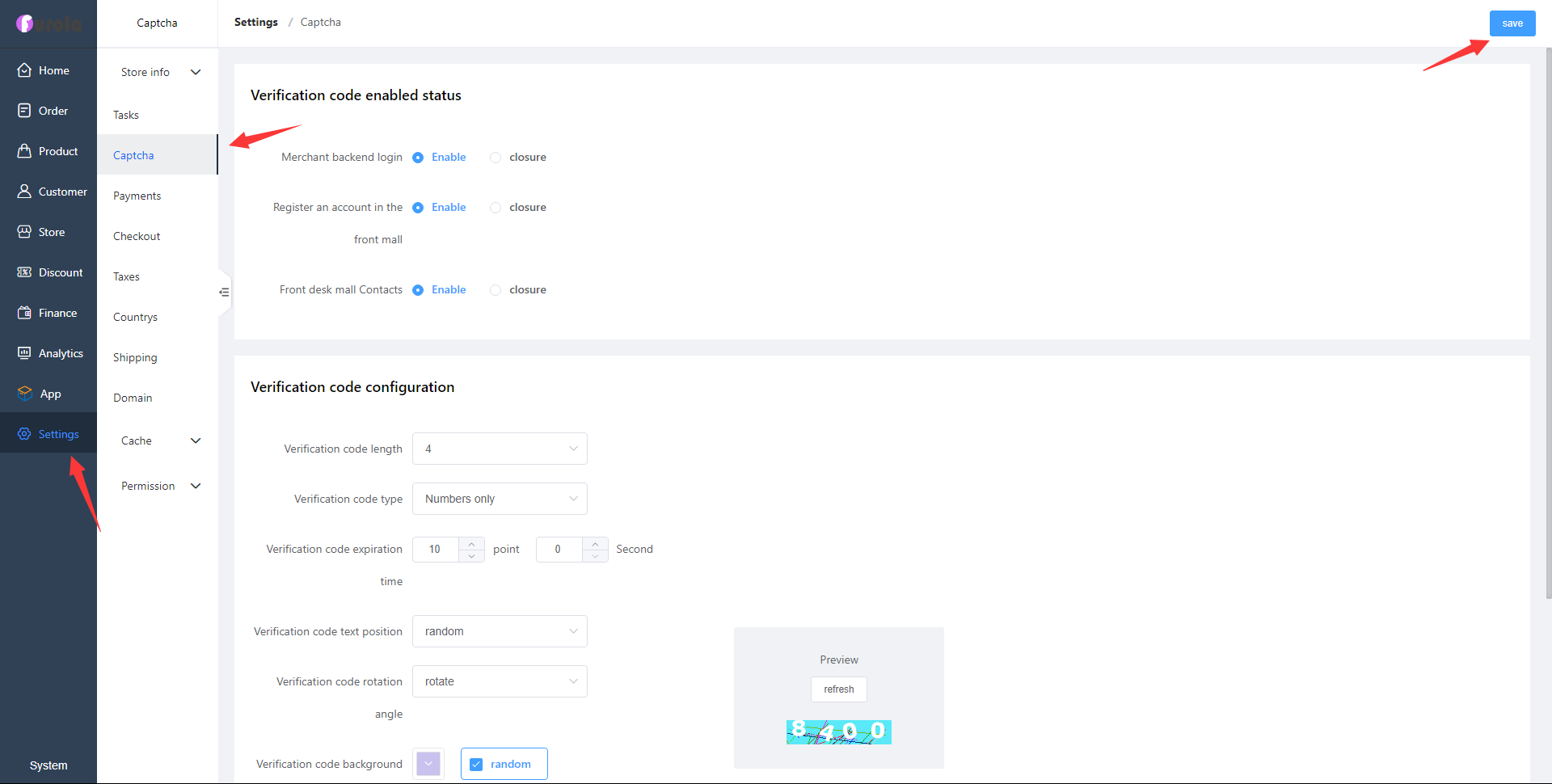
Set the length of the frontend and backend validation codes, type
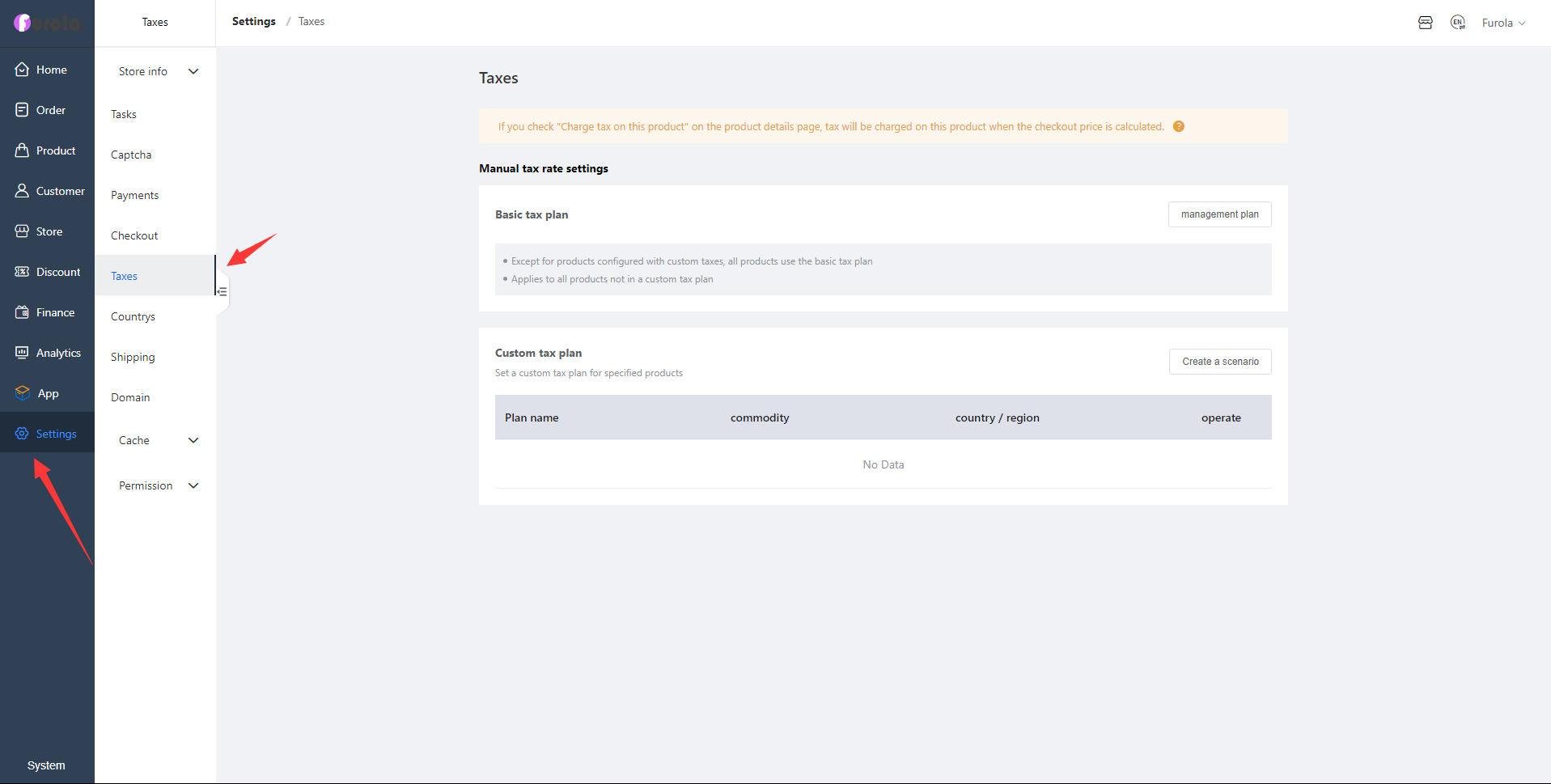
Customize tax rates for each country and region.
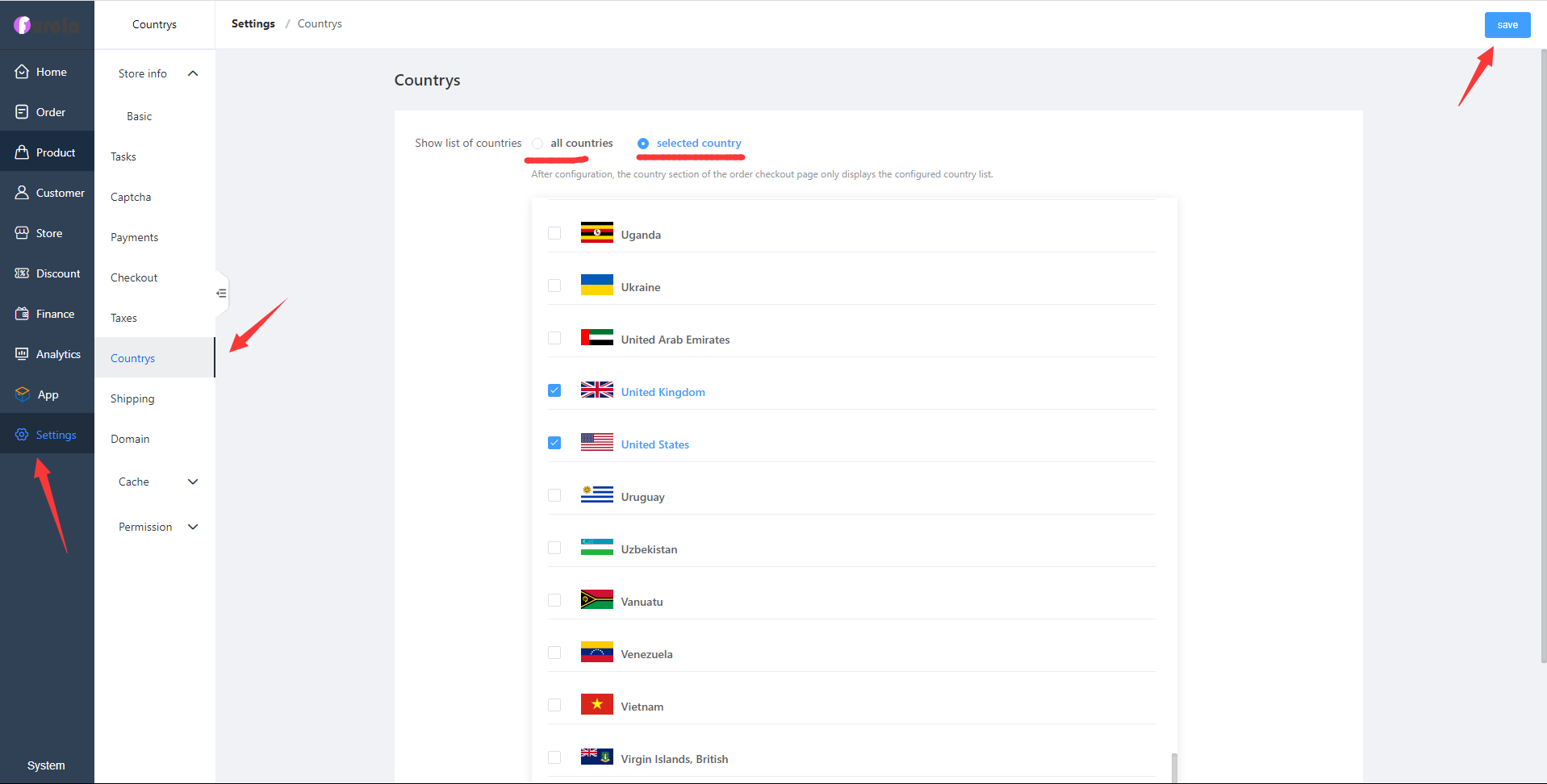
Select the country and region of service, for example if you want to provide service to the USA and UK select them. If providing all countries select all countries.
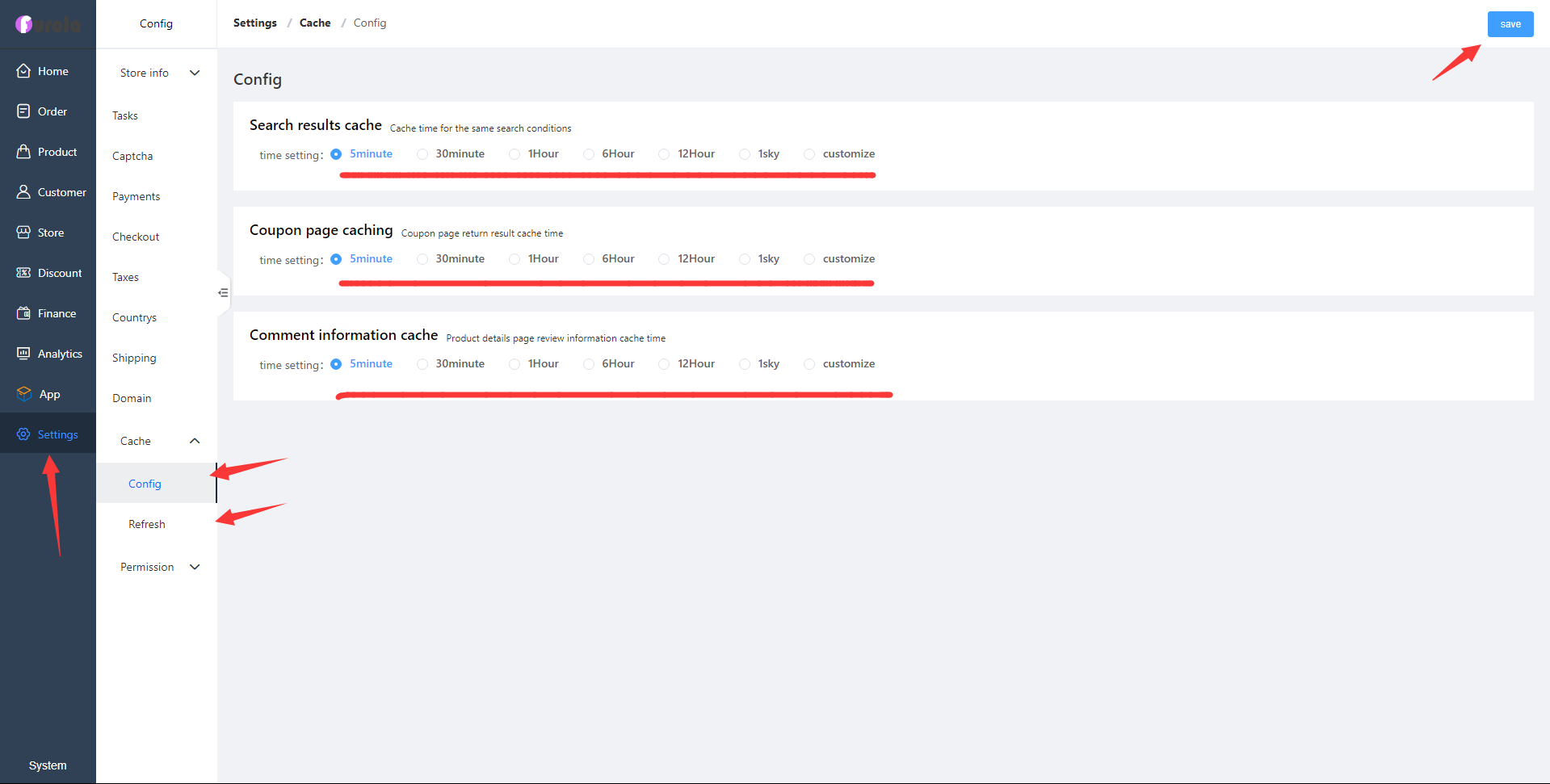
Take user demand as product orientation, and control the final product demand through the first-line operation personnel
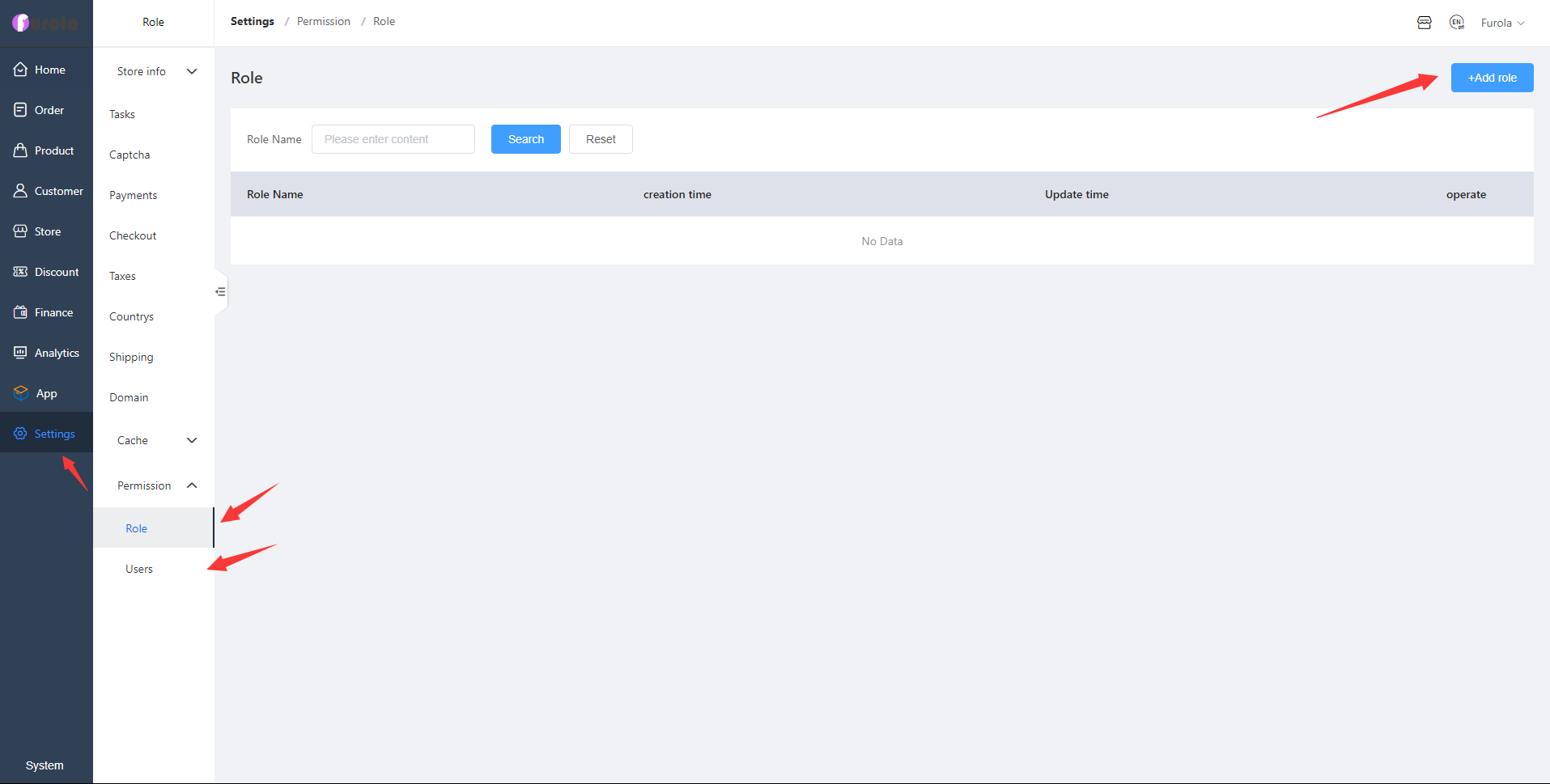
Take user demand as product orientation, and control the final product demand through the first-line operation personnel
Countries and regions where transportation is set up.
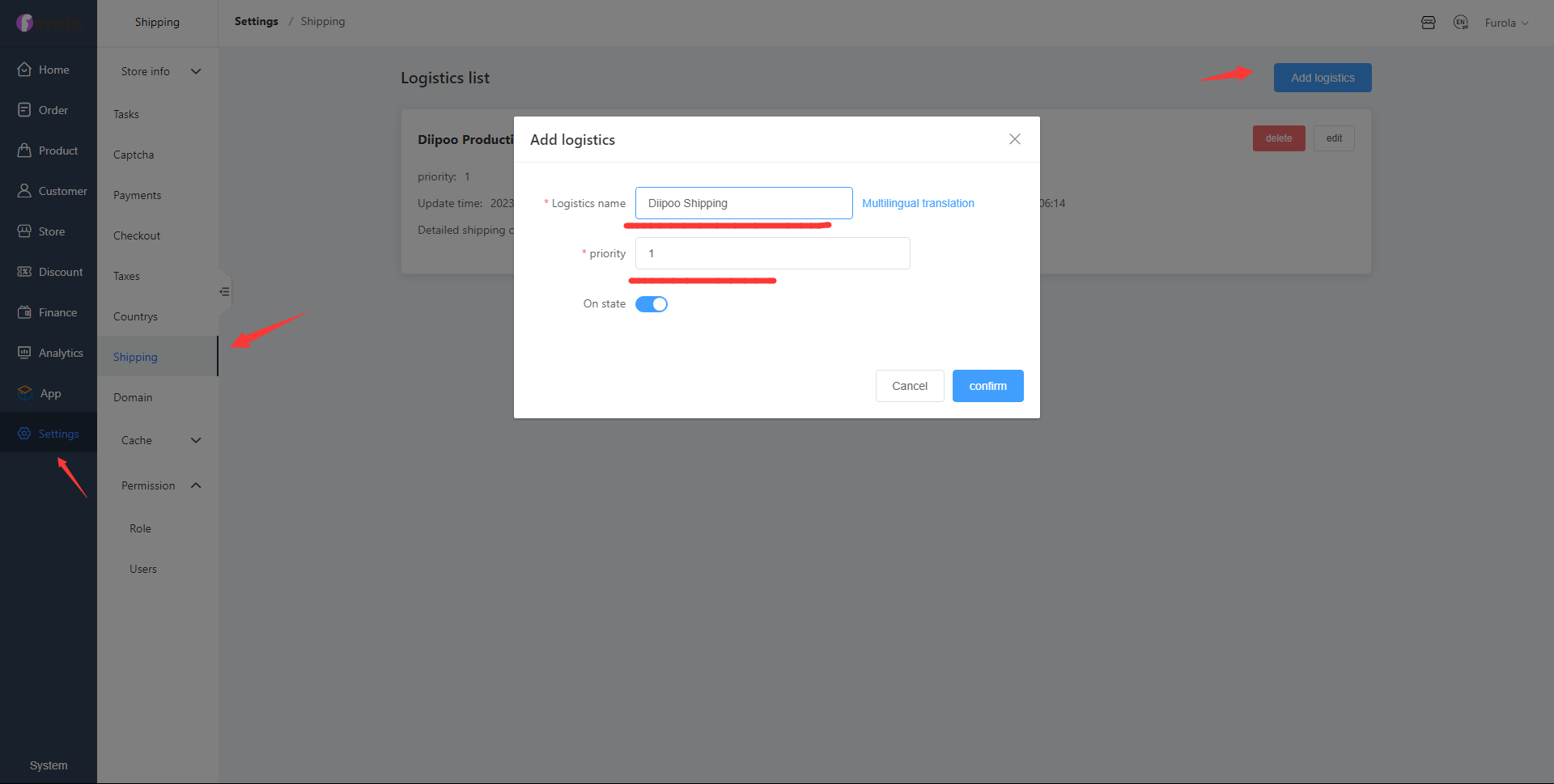
If you want to sell Diipoo products, please fill in the Diipoo shipping, Diipoo is responsible for the products and shipping services. Shipping time is usually within 7-20 business days, Asia, USA, Europe shipping is fast. Other countries and regions around the world within about 15-30 days.
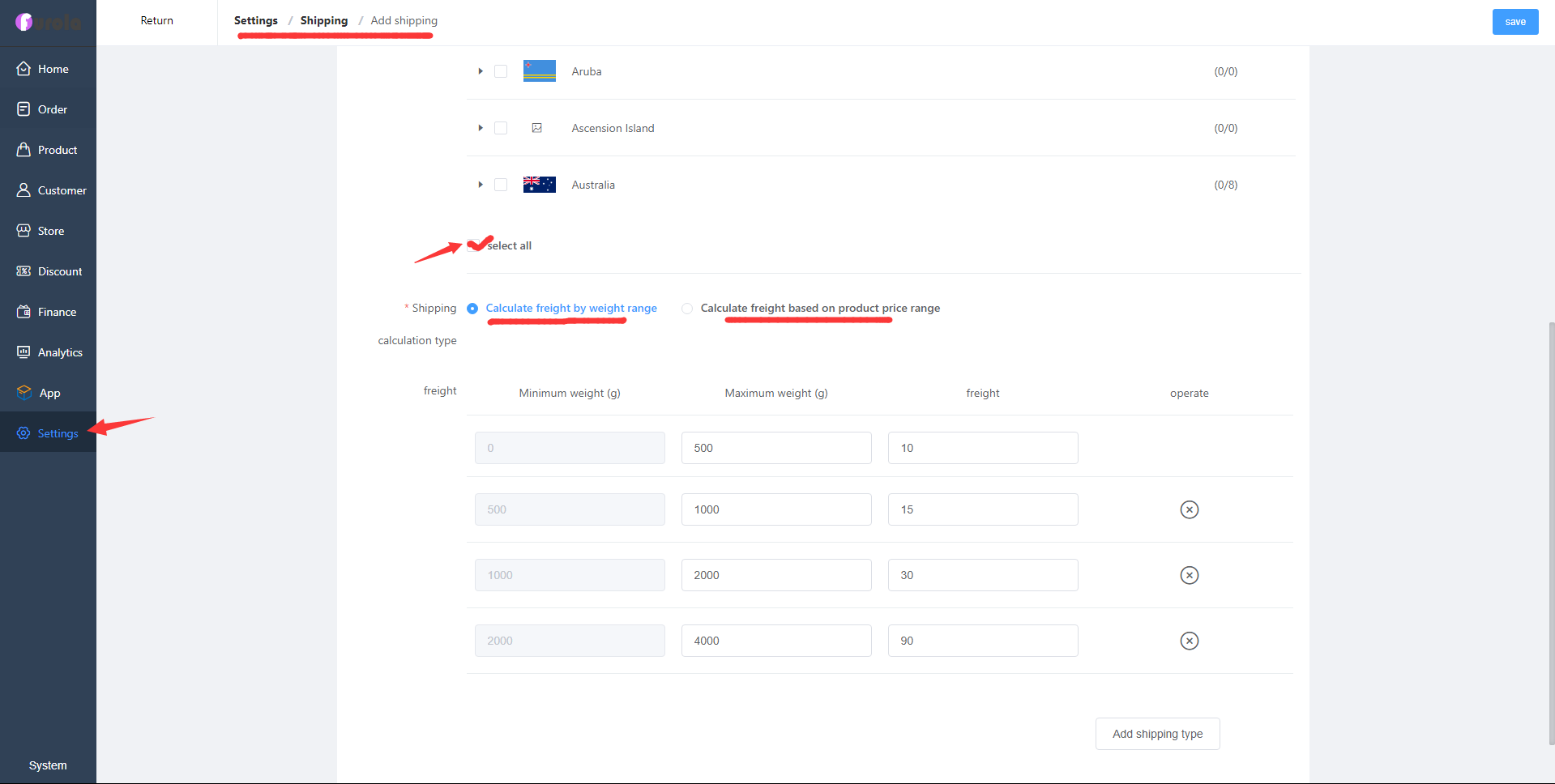
After we add the shipping method, click Add shipping and we will go to a new page. Set Shipping name: Diipoo; select the list of countries, you can also select all countries and regions; calculate shipping cost by weight or product price.
Furola bietet mehr als ein Dutzend Zahlungsmöglichkeiten und Sie können Einzüge von Nutzern aus der ganzen Welt erhalten.
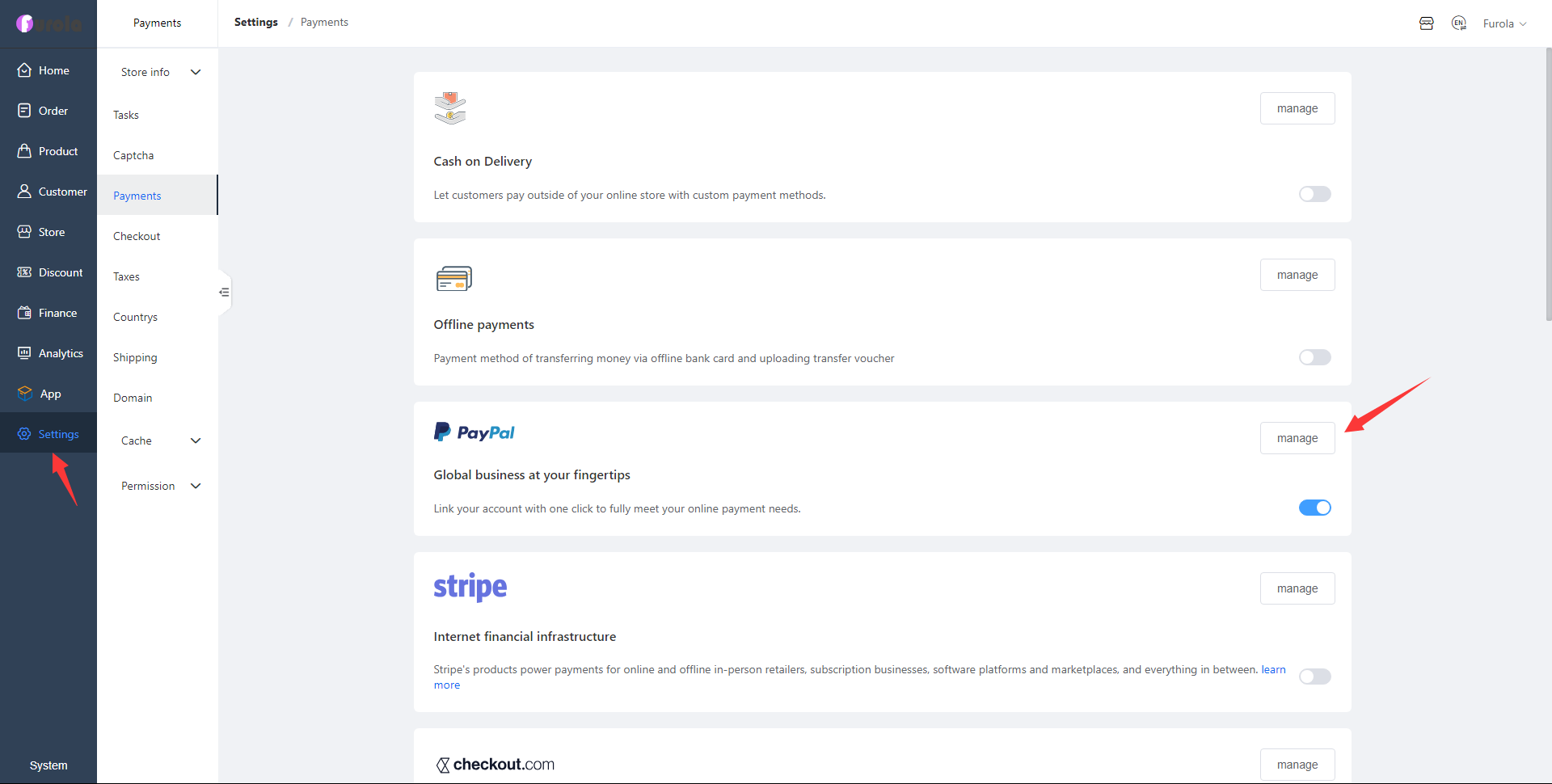
Furola supports offline payment, PayPal, Stripe, Checkout, AsiaBill, Pingpong, Paydollar, Alipay, WinToPay and other payment methods.
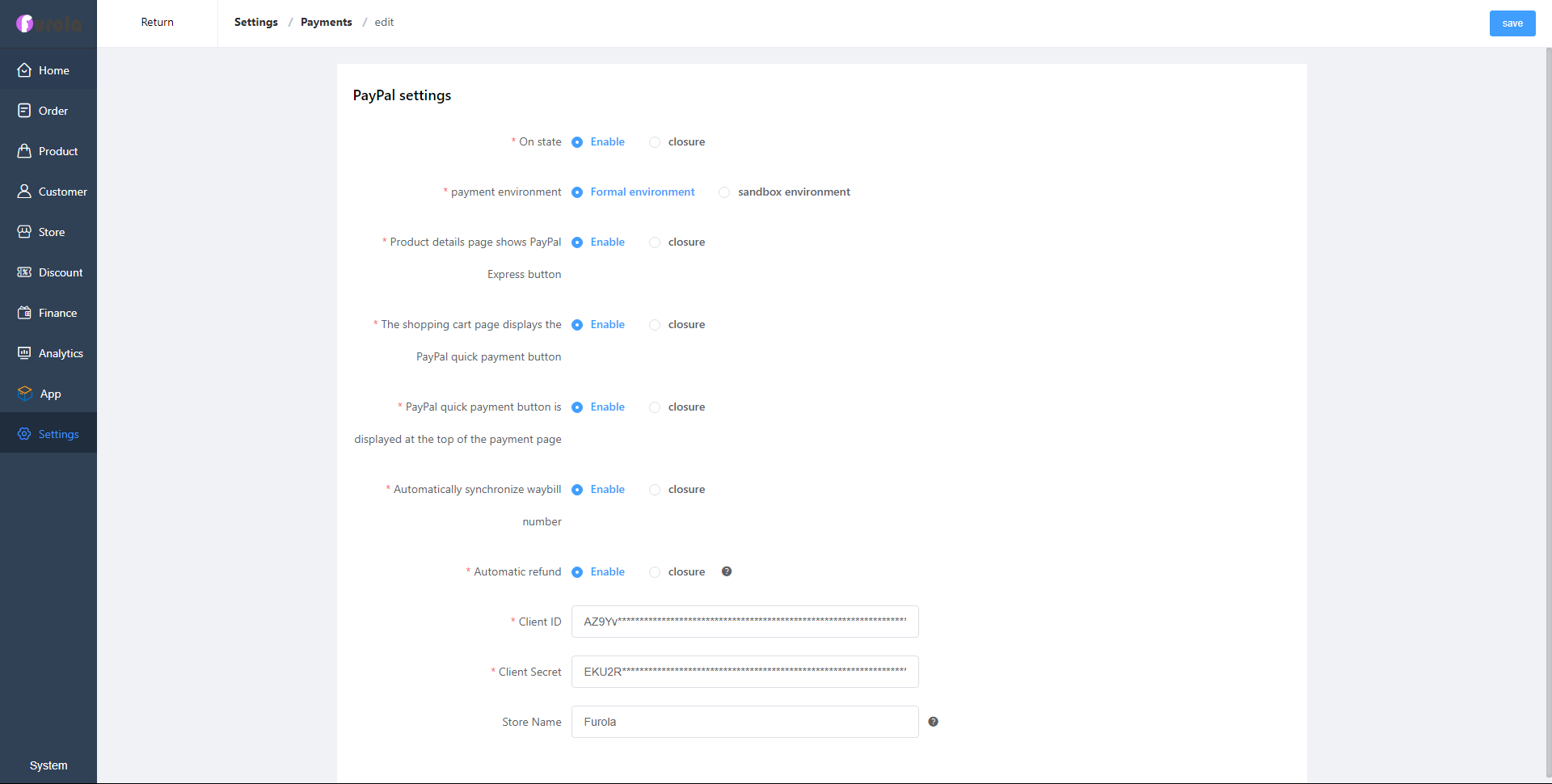
PayPal Developer Center, get Client Id, Client Secret.
Open the PayPal Developer Center website, click My Apps & Credentials, and select Live mode.
Create New APP, fill in the App Name, and finally you will see Client ID, Client Secret. Website: https://developer.paypal.com/developer/
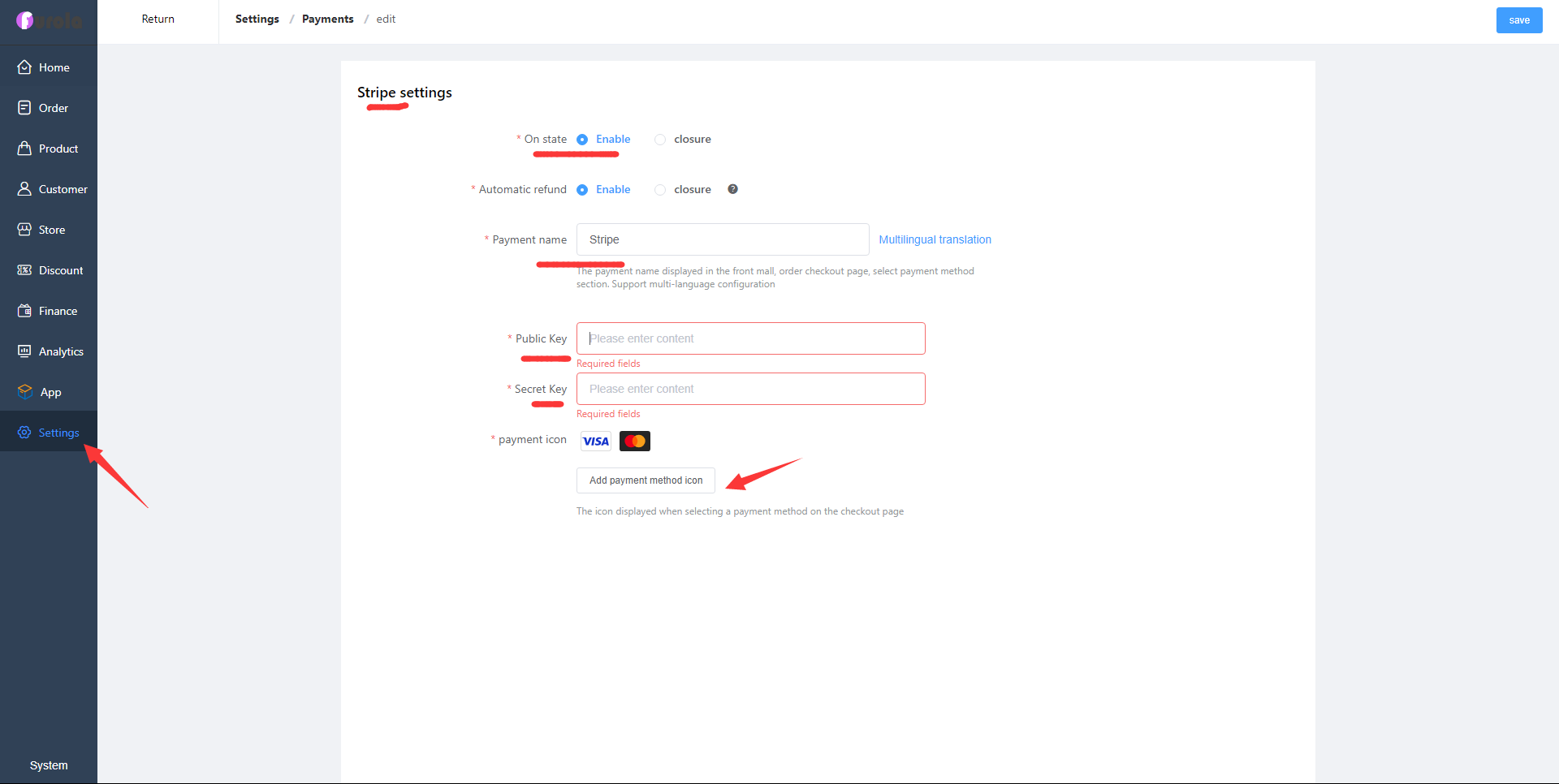
Stripe supports Visa, MasterCard, American Express, JCB and other payment methods. Visit the Stripe official website to obtain the Public Key and Secret Key. Be careful not to use the test mode.
https://stripe.com/
Set message notification, users and administrators will receive emails.
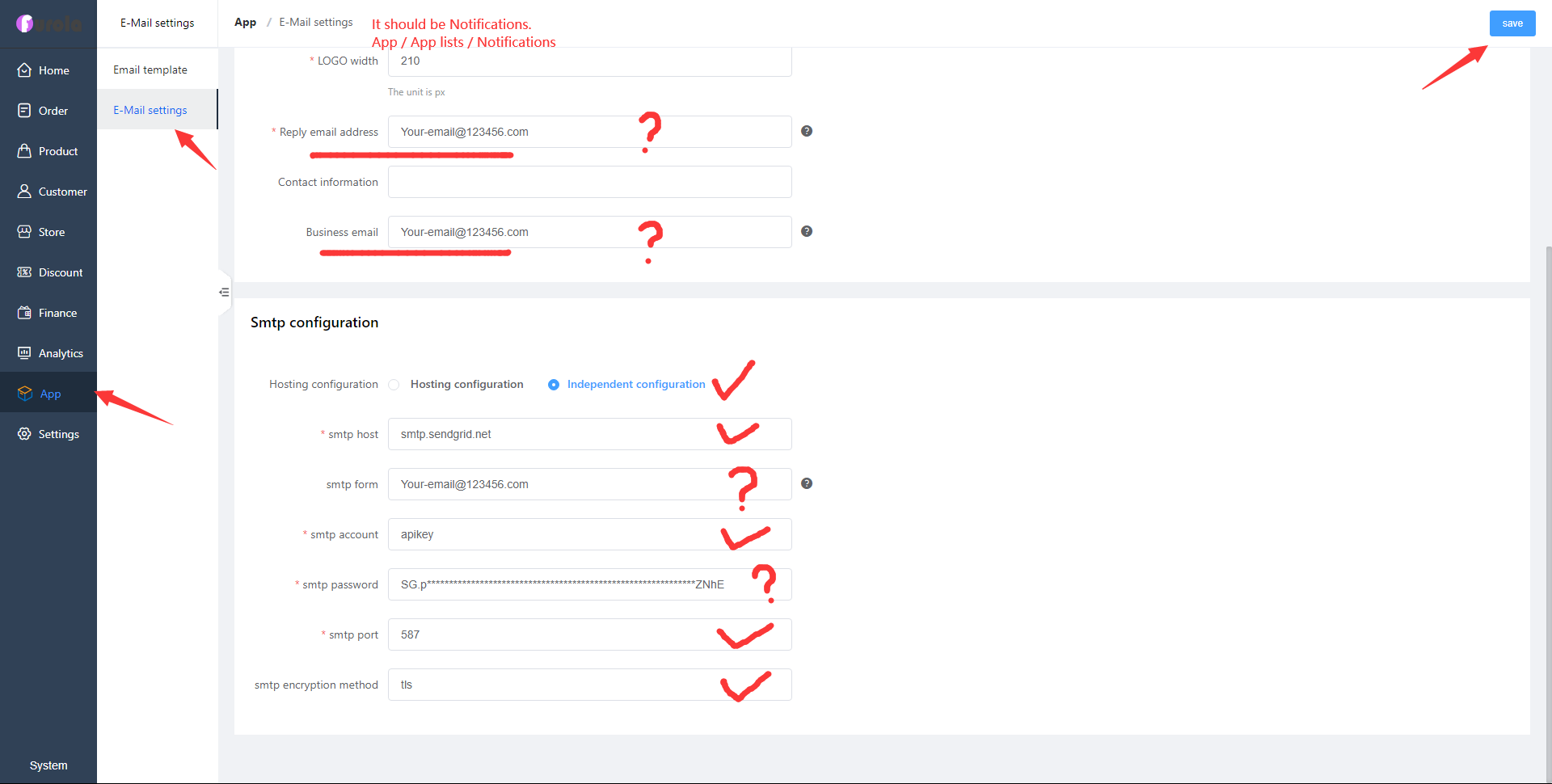
Furola recommends using SendGrid or Mailgun. They have free email volume. Question mark: You need to fill in your information; the rest can be filled in with the information on the picture.
Need your information: email address, SMTP form, SMTP password
Information used by default: SMTP host, SMTP account, SMTP port, SMTP encryption method tls.
You can use Furola to create products and sell them to your customers.
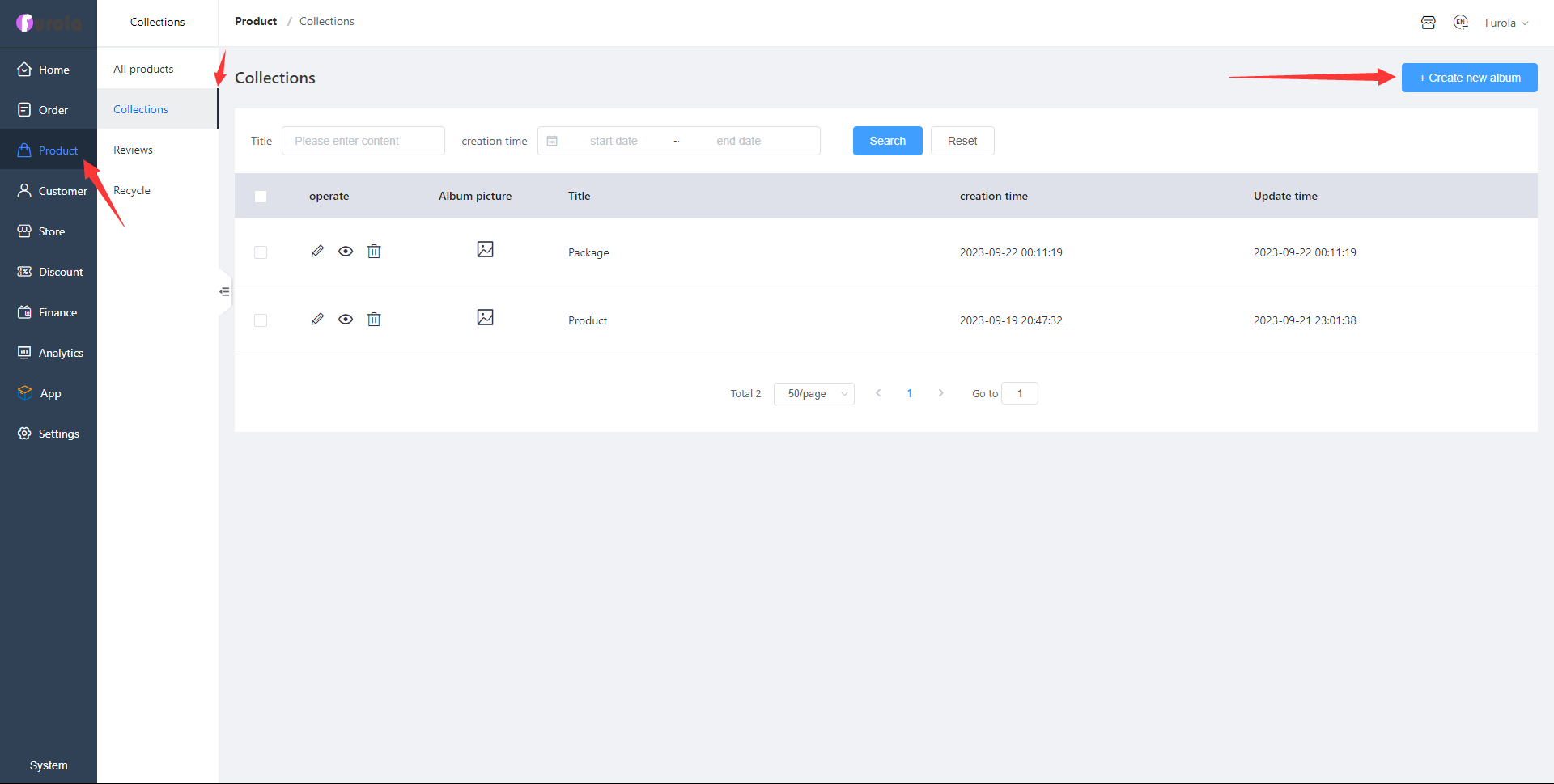
If you want to publish a product, first create a category, and add a name, and a picture (optional).
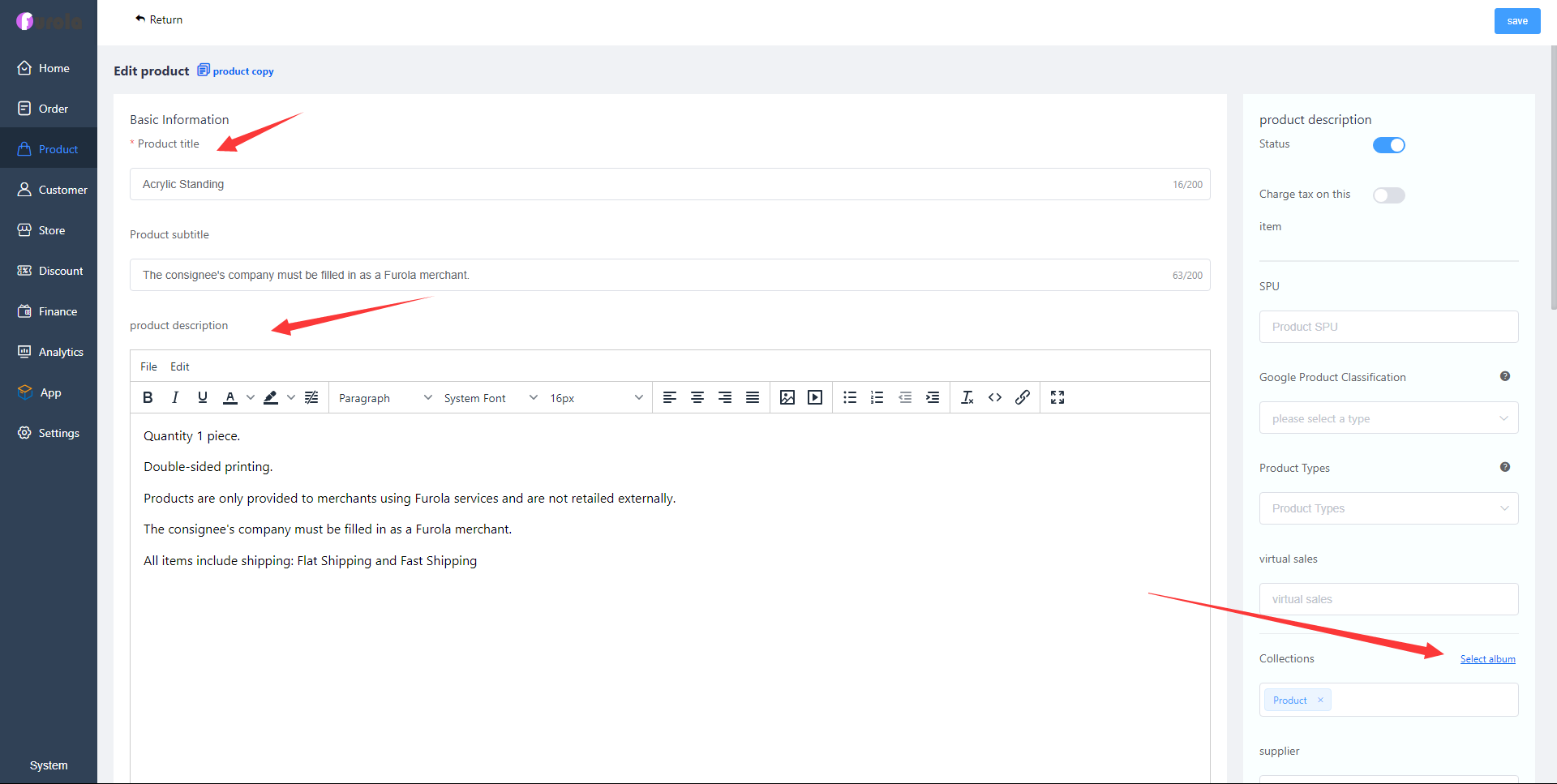
Fill in the product title, subtitle (optional), fill in the content (the content can be pictures, text, videos), and select the collection just created.
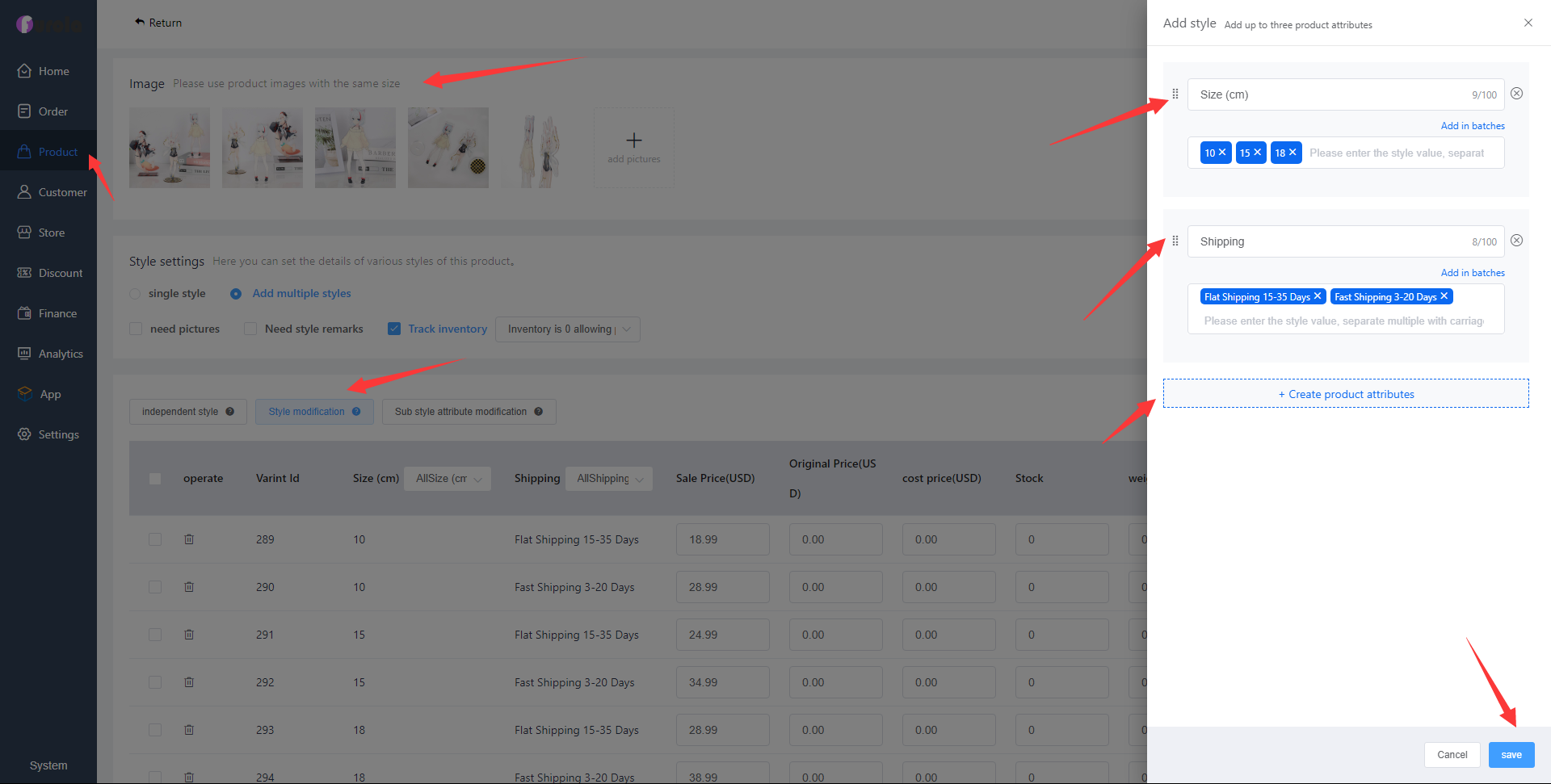
Upload pictures, set styles, add product attributes, add them in batches, modify the selling price (USD), and finally publish the product.
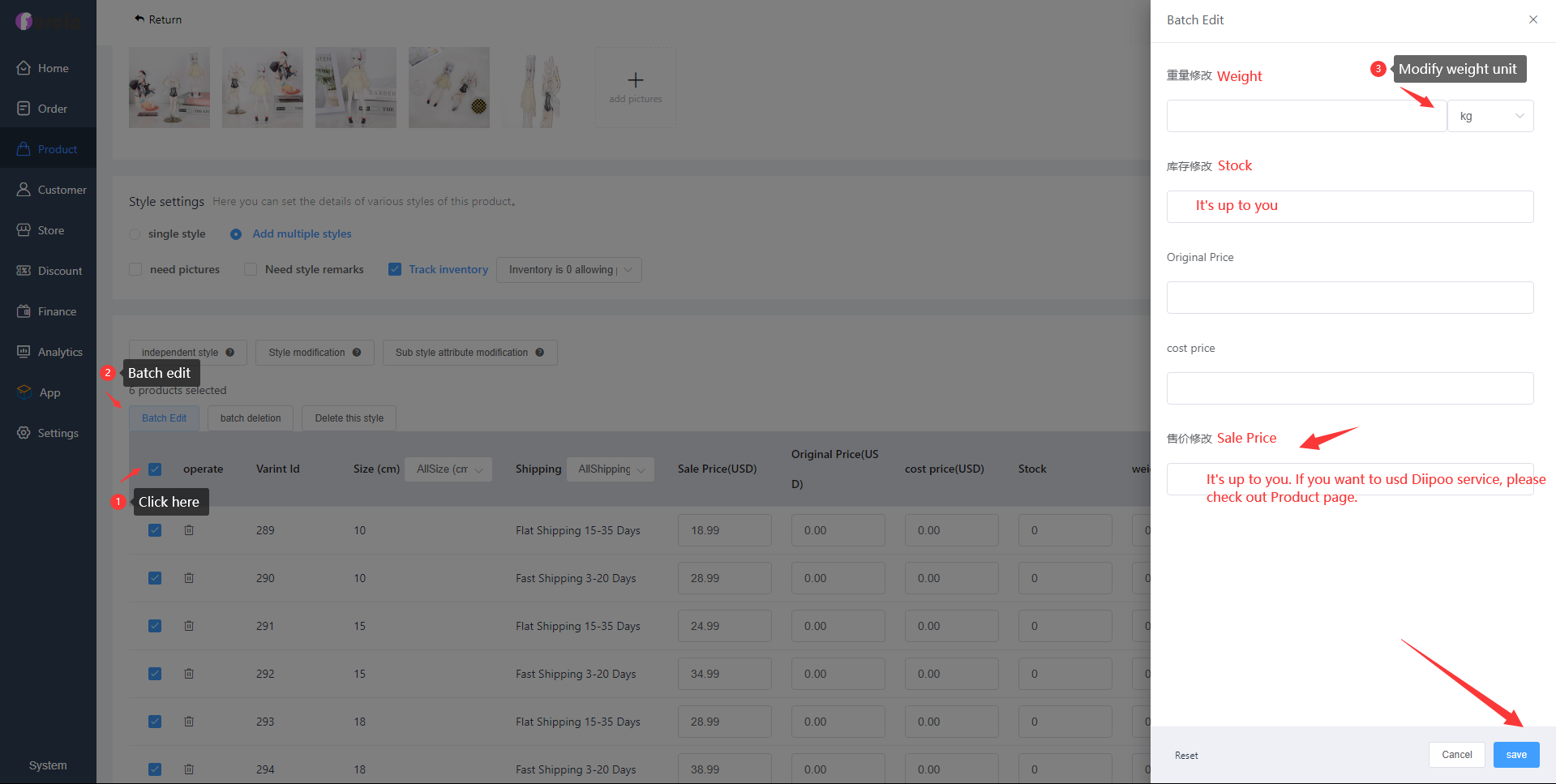
You can modify weight, inventory, price and other information in batches, or you can modify it one by one. Please note: If you want to use Diipoo products, the selling price should not be lower than Diipoo's price. How much money you make depends on you. If a Diipoo item sells for $19.99, including shipping, you can set it to $29.99 and you'll earn $10.
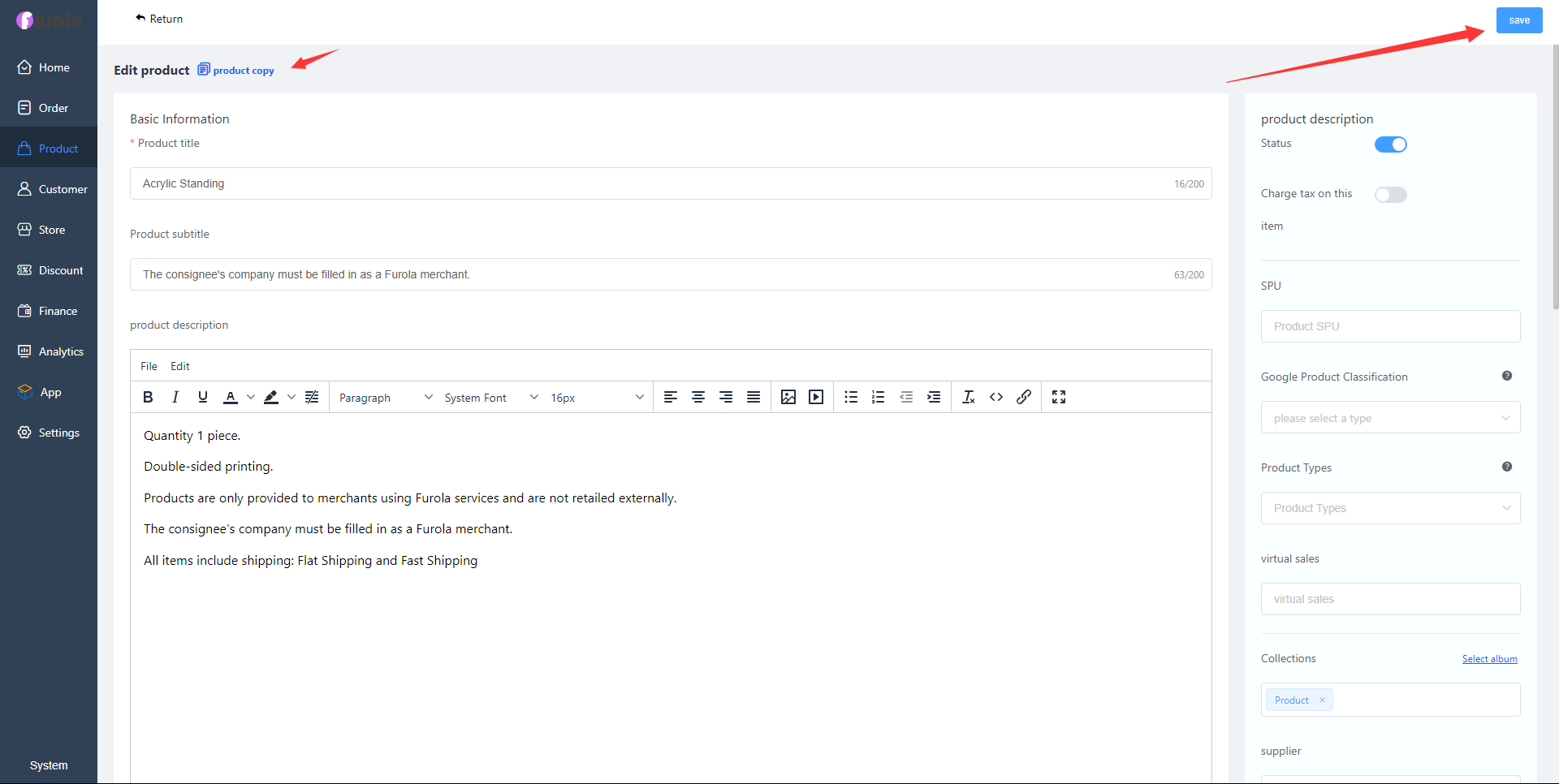
Check the title, content, pictures, collection, price, weight and other information, and finally publish the product. Furola also supports replicating products.


